Quick Picks
Short on time? Here are our top recommendations:
- Dreo Smart Ceiling Fan 52” (Black) (~$90) — Best budget, RGB ambient light + 6040 CFM airflow
- Dreo Smart Ceiling Fan 52” (White) (~$200) — Best overall, 12 speeds + stepless color tuning
- Hunter Aerodyne 52” (~$242) — Best premium, HomeKit + Alexa + Google
- Sofucor 52” Smart Ceiling Fan (~$169) — Best for patios, indoor/outdoor rated
- Lumary 52” RGBAI Ceiling Fan (~$190) — Best lighting, 16 million colors + 46 scenes
- Hunter Aerodyne 60” (~$315) — Best for large rooms, 60-inch span + WiFi
Smart ceiling fans aren’t just regular fans with an app bolted on. The best ones in 2026 use DC motors that run whisper-quiet, move more air while using less electricity, and let you control both the fan and built-in LED light from your phone, voice assistant, or a physical remote. No more fumbling with pull chains or getting up from the couch to adjust the speed.
The real selling point is automation. Set a schedule so the fan turns on at bedtime and off at sunrise. Link it to a temperature sensor so it kicks in when the room hits 75°F. Say “Alexa, turn on the bedroom fan” without lifting a finger. If you already have a smart home setup with Alexa or Google Home, a smart ceiling fan slots right in.
We tested and researched six smart ceiling fans from $90 to $315 — covering everything from a budget-friendly Dreo with RGB ambient lighting to a premium Hunter Aerodyne with Apple HomeKit support. Every fan on this list connects to WiFi, works with at least Alexa and Google Assistant, and includes a dimmable LED light. Here’s what’s worth your money.
Our Top Picks
Dreo Smart Ceiling Fan 52” (Black) — Best Budget
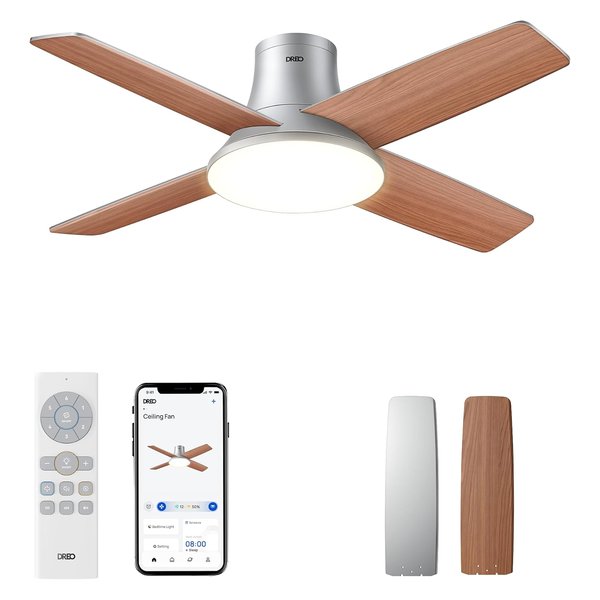
Under $100 for a smart ceiling fan with RGB ambient lighting, Alexa and Google support, and a quiet DC motor — the Dreo CLF712S is hard to beat on value. It pushes up to 6040 CFM of airflow, which is strong enough for rooms up to 400 square feet. The low-profile flush mount design works in rooms with standard 8-foot ceilings where a traditional down-rod fan would hang too low.
The LED light panel gives you dimmable white light with color temperature adjustment, and there’s a separate RGB ambient ring around the edge that can cycle through colors or hold a single hue — nice for a game room or media room. Installation is easier than most ceiling fans thanks to Dreo’s patented one-screw-per-blade design. The motor runs at under 35dB even on higher speeds, so you won’t hear it over a conversation.
Control happens through the Dreo app, Alexa, Google Assistant, or the included remote. You can set schedules, timers up to 12 hours, and adjust everything from your phone.
Why it stands out: Full smart features and strong airflow for under $100 — the best entry point into smart ceiling fans.
Pros:
- Under $100 — exceptional value for a smart fan
- 6040 CFM airflow handles medium to large rooms
- RGB ambient lighting ring for mood lighting
- Quiet DC motor under 35dB
- Low-profile flush mount fits standard ceilings
- One-screw-per-blade easy installation
Cons:
- No Apple HomeKit support
- RGB ring is fun but gimmicky for some rooms
- Black finish limits room style options
Dreo Smart Ceiling Fan 52” (White) — Best Overall
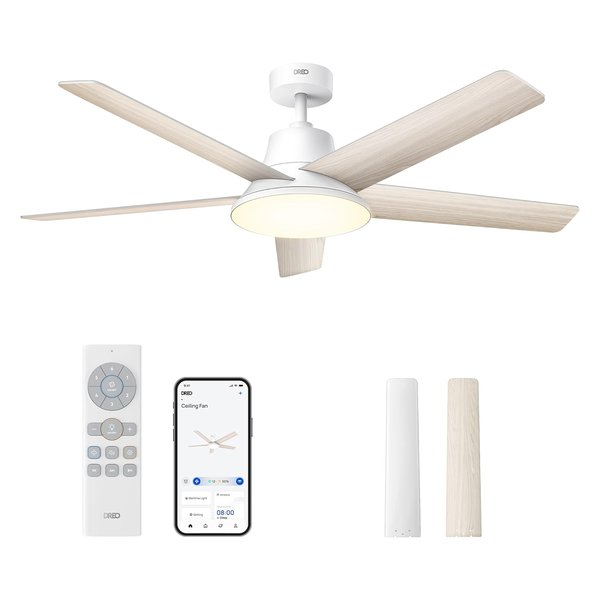
This is Dreo’s higher-end model and our pick for best overall smart ceiling fan. It gives you 12 fan speeds (compared to 6 on the budget model), three fan modes (Normal, Natural, Sleep), and stepless color temperature adjustment on the LED light — meaning you can dial in the exact warmth or coolness of the light rather than picking from preset options.
The 52-inch span and DC motor deliver powerful but quiet airflow. The Sleep mode gradually reduces fan speed through the night so you don’t wake up freezing at 3 AM. The Natural mode varies speed randomly to simulate a breeze, which feels more comfortable than a constant blast.
Everything works through the Dreo app, Alexa, or Google Assistant. You get a handheld remote in the box too. The 12-hour timer is useful for set-it-and-forget-it operation — turn it on before bed and it shuts off automatically.
Why it stands out: 12 speeds, smart fan modes, and stepless light tuning make this the most flexible smart ceiling fan at this price.
Pros:
- 12 speeds with Natural and Sleep modes
- Stepless color temperature — not just 3 presets
- Quiet DC motor with reversible direction
- Works with Alexa and Google
- Clean white finish suits any room
Cons:
- No Apple HomeKit support
- No RGB ambient lighting (unlike the black model)
- Higher price than the budget Dreo
Hunter Aerodyne 52” Smart — Best Premium
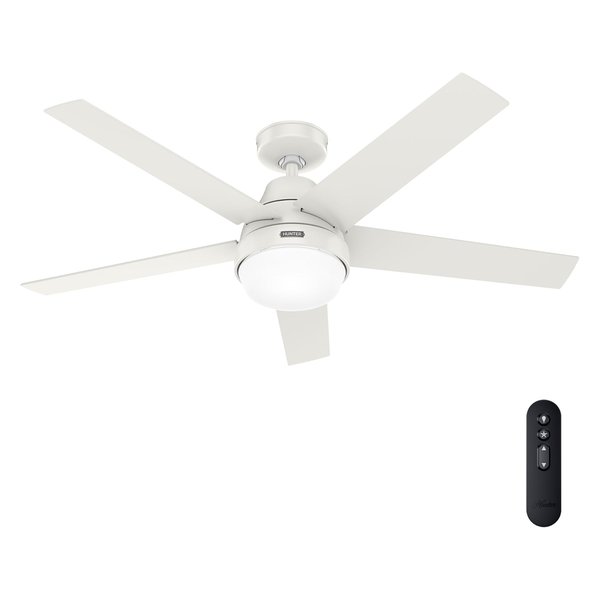
Hunter has been making ceiling fans since 1886, and the Aerodyne is their flagship smart model. What sets it apart from every other fan on this list is Apple HomeKit support in addition to Alexa and Google Assistant. If you’re in the Apple ecosystem and use HomeKit to control your smart home, this is one of the few ceiling fans that integrates natively — no third-party bridge or workaround needed.
The built-in WiFi connects to the SIMPLEconnect app (Hunter’s smart platform), and from there you can control fan speed, light brightness, set schedules, and create automations. The LED light is dimmable and tunable between warm and cool white. The 6-speed DC motor is Energy Star rated, so it uses significantly less electricity than traditional AC motor fans.
Build quality is where Hunter justifies the higher price. The motor has a lifetime warranty, the blades are properly balanced from the factory, and the overall fit and finish feel like a step above the Chinese-brand fans. If you want something that looks and feels premium, this is it.
Why it stands out: The only fan here with Apple HomeKit, backed by a legacy brand with a lifetime motor warranty.
Pros:
- Apple HomeKit + Alexa + Google — full ecosystem support
- Energy Star rated DC motor
- Lifetime motor warranty from Hunter
- Premium build quality and finish
- 6-speed with reversible direction
Cons:
- Most expensive 52” fan on this list at ~$242
- Fewer speed options than Dreo (6 vs 12)
- No RGB or ambient lighting features
Sofucor 52” Smart Ceiling Fan — Best for Patios
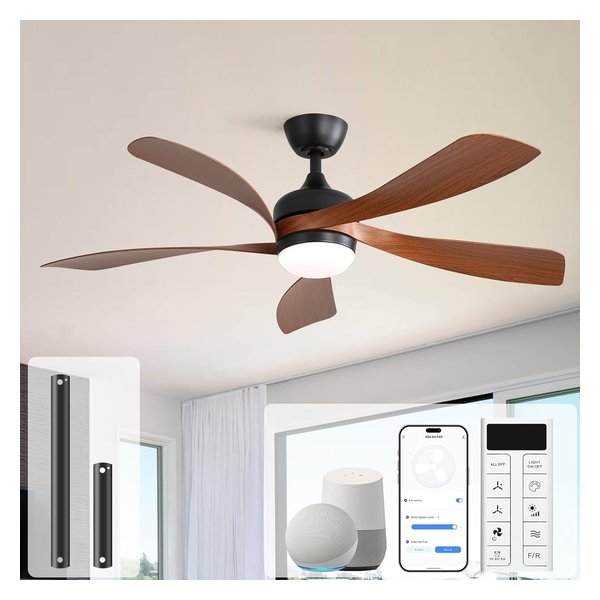
Most smart ceiling fans are indoor-only. The Sofucor is damp-rated for covered outdoor use, which means you can mount it on a covered patio, screened porch, or gazebo without worrying about humidity damage. That makes it the clear pick if you want a smart fan for outdoor entertaining this spring and summer.
It connects to Alexa and Google Assistant through the Tuya-based app, so you can control it by voice or phone from inside the house while the fan runs on the porch. The 3-color LED light (3000K warm, 4000K neutral, 6000K daylight) gives you enough flexibility for different settings. The 6-speed DC motor runs quietly at under 30dB on lower settings — nearly silent.
The reversible motor lets you run it counterclockwise in summer (downdraft for cooling) and clockwise in winter (updraft to circulate warm air). At ~$169, it’s priced right for a dual-purpose indoor/outdoor fan.
Why it stands out: Damp-rated for covered outdoor use — the only fan here that’s patio-ready out of the box.
Pros:
- Damp-rated for covered outdoor spaces
- Under 30dB on low — extremely quiet
- Works with Alexa and Google
- 6-speed reversible DC motor
- Solid value at ~$169
Cons:
- No Apple HomeKit support
- Only 3 light color presets (no stepless tuning)
- Tuya app is functional but not as polished as Dreo’s
Lumary 52” RGBAI Smart Ceiling Fan — Best Lighting
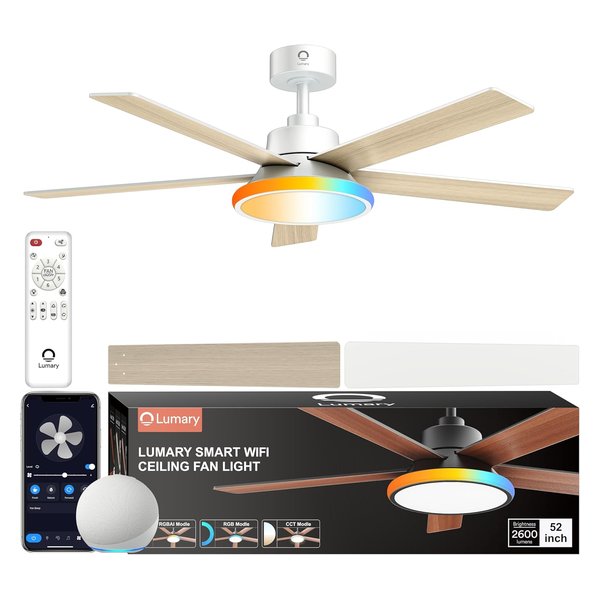
If the built-in light matters as much as the fan itself, the Lumary is the one to get. It puts out 2600 lumens — bright enough to be the primary light source in a bedroom or living room. The RGBAI system gives you 16 million colors plus stepless white temperature adjustment, and there are 46 pre-built lighting scenes you can cycle through or customize in the app.
The dual lighting mode is the standout feature: you can run the main CCT panel for everyday white light while simultaneously running the RGB ring in a different color for accent lighting. Think warm white overhead with a soft blue or purple glow around the edge — it transforms the vibe of a room without needing separate smart light bulbs.
The 52-inch fan delivers solid airflow with a brushless DC motor that Lumary claims uses 70% less energy than traditional AC motors. It connects via 2.4GHz WiFi and works with Alexa and Google Assistant. The music sync feature matches the lighting colors to whatever’s playing, which is a fun party trick.
Why it stands out: 2600 lumens + 16 million RGBAI colors make this the smartest light on a fan, not just the smartest fan with a light.
Pros:
- 2600 lumens — bright enough to replace a room light
- 16 million colors + 46 lighting scenes
- Dual lighting mode (CCT + RGB simultaneously)
- Music sync for ambient effects
- Energy-efficient brushless DC motor
Cons:
- No Apple HomeKit
- Light quality doesn’t match dedicated smart bulbs
- 2.4GHz WiFi only (no 5GHz)
Hunter Aerodyne 60” Smart — Best for Large Rooms
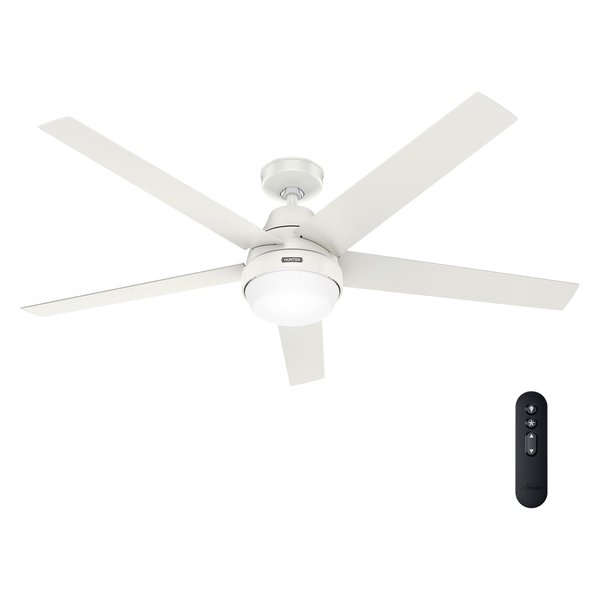
If your room is over 400 square feet — think open-concept living rooms, great rooms, or large master bedrooms — a 52-inch fan won’t cut it. You need the 60-inch span of the Hunter Aerodyne to properly circulate air in a large space. The longer blades move significantly more air per rotation, which means the fan can run at lower speeds to achieve the same cooling effect, making it even quieter.
Like its 52-inch sibling, this model comes with full WiFi smart home integration: Alexa, Google Assistant, and Apple HomeKit. The 6-speed Energy Star DC motor keeps electricity costs down despite the larger size. The dimmable LED light covers the room without needing supplemental lighting.
Hunter’s SIMPLEconnect WiFi system works well in practice — pairing is straightforward, and the app gives you fan speed, light brightness, scheduling, and voice control once linked to your assistant. The lifetime motor warranty applies here too.
Why it stands out: 60-inch span for rooms over 400 sq ft, with the same premium smart features as the 52-inch Aerodyne.
Pros:
- 60-inch span for large rooms (400+ sq ft)
- Apple HomeKit + Alexa + Google
- Energy Star rated, lifetime motor warranty
- Quiet operation even at larger size
- Premium Hunter build quality
Cons:
- $315 — the priciest fan on this list
- Requires rooms with at least 9-foot ceilings
- Fewer color/lighting features than Lumary or Dreo
Comparison Table
| Feature | Dreo 52” Black | Dreo 52” White | Hunter 52” | Sofucor 52” | Lumary 52” | Hunter 60” |
|---|---|---|---|---|---|---|
| Price | ~$90 | ~$200 | ~$242 | ~$169 | ~$190 | ~$315 |
| Size | 52” | 52” | 52” | 52” | 52” | 60” |
| Fan Speeds | 6 | 12 | 6 | 6 | 6 | 6 |
| Motor Type | DC | DC | DC | DC | Brushless DC | DC |
| Alexa | Yes | Yes | Yes | Yes | Yes | Yes |
| Yes | Yes | Yes | Yes | Yes | Yes | |
| HomeKit | No | No | Yes | No | No | Yes |
| Light Lumens | Dimmable | Dimmable | Dimmable | Dimmable | 2600 lm | Dimmable |
| RGB Lighting | Yes | No | No | No | Yes (RGBAI) | No |
| Outdoor Rated | No | No | No | Yes (damp) | No | No |
| Noise Level | <35dB | Quiet | Quiet | <30dB | Quiet | Quiet |
| Warranty | Standard | Standard | Lifetime motor | Standard | Standard | Lifetime motor |
How to Choose the Right Smart Ceiling Fan
Room Size Matters Most
The most common mistake is buying a fan that’s too small. Here’s the rule of thumb:
- Under 150 sq ft (small bedroom): 42-48 inches
- 150-400 sq ft (most bedrooms, living rooms): 52 inches
- Over 400 sq ft (great rooms, open floor plans): 60+ inches
Every fan on this list is either 52 or 60 inches, covering most home needs. If your room is under 150 square feet, consider a smaller flush-mount model.
DC Motor vs AC Motor
All six fans here use DC motors, and there’s a good reason for that. DC motors use 40-70% less electricity than traditional AC motors, run much quieter, offer more speed options, and allow for reversible direction. The trade-off is cost — DC motor fans typically cost $30-$80 more than AC equivalents. But the energy savings pay for the difference within a year or two.
Smart Platform Compatibility
If you’re invested in Apple HomeKit, your choices narrow to the two Hunter Aerodyne models. Everyone else — Alexa and Google users — can pick any fan on this list. All six work through dedicated apps as well, so you can control them from your phone even without a voice assistant.
If you’re building out your smart home and aren’t sure which ecosystem to pick, check our Alexa vs Google Home comparison to decide before buying.
Ceiling Height Requirements
Flush-mount (hugger) fans like the Dreo models sit nearly flat against the ceiling and work in rooms with standard 8-foot ceilings. Down-rod fans like the Hunter Aerodyne hang lower and need at least 8.5-9 foot ceilings to maintain the required 7-foot clearance from the floor. Check the mount type before ordering.
Light Quality
If the ceiling fan light will be the primary light source in the room, pay attention to lumens. The Lumary puts out 2600 lumens — equivalent to a bright overhead fixture. The others don’t list exact lumen counts but are generally adequate as supplemental lighting. For a bedroom where the fan light is the only light, the Lumary or a fan with a brighter LED panel is the better choice.
FAQ
Can I install a smart ceiling fan myself?
Most homeowners can handle it if you’re comfortable working with basic wiring (black, white, green/copper). You’ll need an existing ceiling fan box that’s rated for fan weight (not just a light fixture box). Budget 1-2 hours for installation. If you don’t have an existing fan box or aren’t comfortable with electrical work, hire an electrician — it’s usually a $100-$200 job.
Do smart ceiling fans work without WiFi?
Yes. Every fan on this list includes a physical remote control that works independently of WiFi. You lose the app control, voice commands, and scheduling, but the fan and light still operate normally. If your WiFi goes down, you can still use the remote.
Are smart ceiling fans compatible with existing wall switches?
Yes, but with a caveat. The fan needs constant power to stay connected to WiFi. If you flip the wall switch off, the fan loses power and disconnects from your smart home until you turn the switch back on. The best approach is to leave the wall switch permanently on and use the app, voice, or remote to control the fan. Alternatively, you can replace the wall switch with a smart switch that keeps power flowing while still giving you physical control.
How much electricity does a smart DC motor ceiling fan use?
A DC motor ceiling fan typically uses 15-35 watts on medium speed — roughly the same as an LED light bulb. Running it 8 hours a day costs about $1-$3 per month on electricity. Compare that to a window AC unit at 500-1500 watts, and a ceiling fan is dramatically cheaper to operate. Using a ceiling fan lets you raise your thermostat by 4°F without feeling warmer, saving roughly 10% on cooling costs.
What’s the difference between WiFi and Bluetooth ceiling fans?
WiFi fans connect to your home network and can be controlled from anywhere — your couch, your office, or across the country. They integrate with Alexa, Google, and HomeKit for voice control and automation. Bluetooth fans only connect when you’re in the same room (within ~30 feet) and don’t support voice assistants or remote scheduling. Every fan on this list uses WiFi, which is what you want for a true smart home setup.