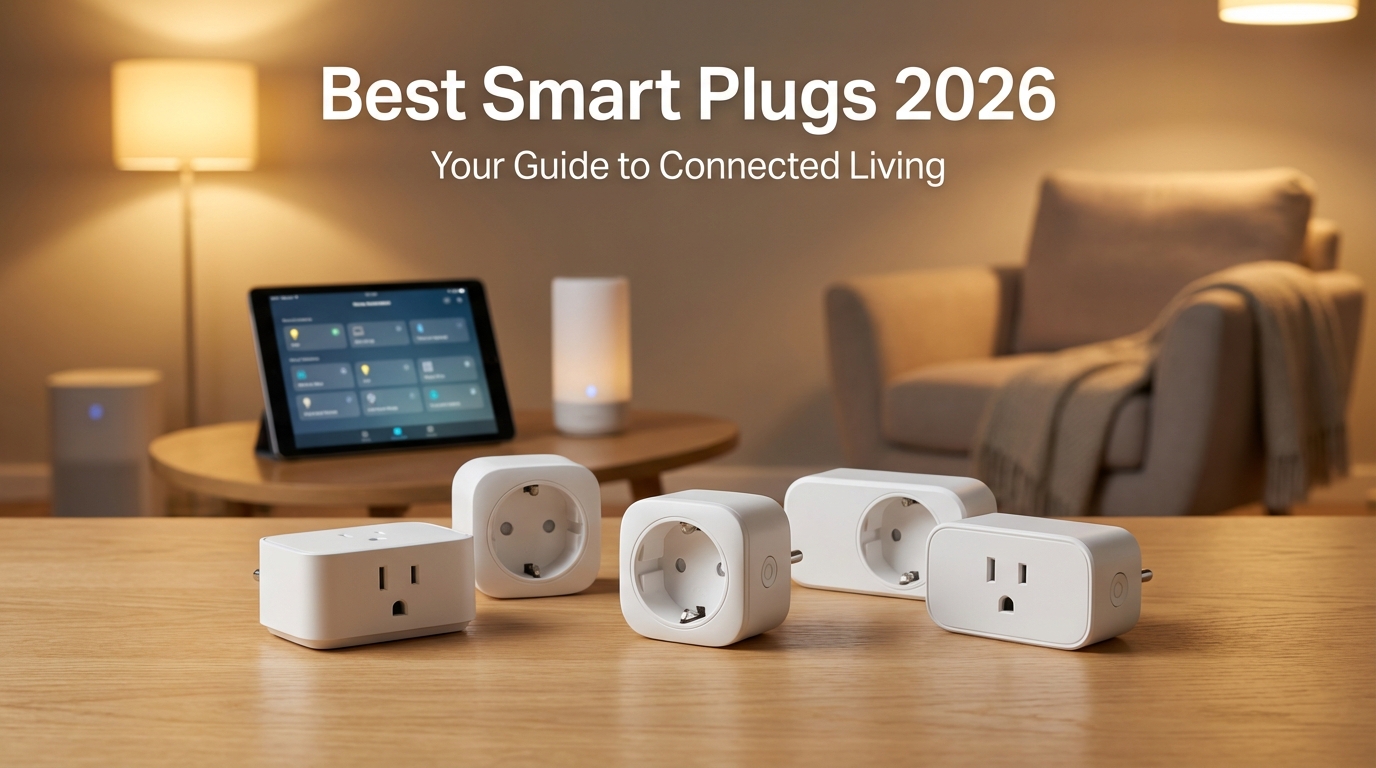
Quick Picks
Short on time? Here are our top recommendations:
- Kasa Smart Plug Ultra Mini (EP25) — Best overall
- Amazon Smart Plug (2026 Edition) — Best value
- Aqara Smart Plug (Zigbee) — Best premium
- Wemo Smart Plug — Best budget
Smart plugs have become essential components of modern smart homes, transforming ordinary appliances into connected devices you can control from anywhere. As we move through 2026, the market offers more sophisticated options than ever before, with enhanced features like Matter support, improved energy monitoring, and faster response times. Whether you’re just starting your smart home journey or expanding an existing setup, finding the right smart plug can make all the difference in your daily convenience and energy savings.
In this comprehensive guide, we’ll explore the best smart plugs available in 2026, helping you choose the perfect model for your needs. From budget-friendly options to feature-packed powerhouses, we’ve tested and evaluated the top contenders to bring you recommendations you can trust.
What Makes a Smart Plug Great in 2026?
The smart plug landscape has evolved significantly over the past few years. Today’s best models go far beyond simple on/off switching, offering features that genuinely enhance your smart home experience. Understanding what separates exceptional smart plugs from mediocre ones helps you make an informed purchasing decision.
Modern smart plugs should offer reliable connectivity, whether through Wi-Fi, Zigbee, or Thread protocols. The addition of Matter support has become increasingly important in 2026, ensuring compatibility across different ecosystems like Apple HomeKit, Google Home, and Amazon Alexa without requiring multiple apps or complicated workarounds.
Essential Features to Consider
Energy monitoring has become standard in quality smart plugs, allowing you to track power consumption in real-time and identify energy-hungry appliances. This feature not only helps reduce your electricity bills but also contributes to a more sustainable lifestyle by making consumption visible and actionable.
Physical design matters more than many people realize. The best smart plugs maintain a compact form factor that doesn’t block adjacent outlets, a frustration that plagued earlier generations. Look for models with side-by-side outlet compatibility or slim profiles that maximize your available outlets.
Connectivity and Ecosystem Compatibility
In 2026, Matter compatibility has become the gold standard for smart home devices. Smart plugs with Matter certification work seamlessly across platforms, future-proofing your investment as you might change ecosystems or add new devices over time. However, dedicated protocol options like Zigbee still offer advantages in terms of mesh networking and reliability.
Response time and reliability remain crucial factors. The best smart plugs respond instantly to commands, whether triggered through voice assistants, apps, or automation routines. Nothing breaks the smart home experience faster than delays or failed commands when you’re trying to control devices.
Our Top Smart Plug Picks for 2026
After extensive testing and evaluation, we’ve identified the best smart plugs currently available. Each recommendation excels in specific areas, ensuring there’s an ideal option regardless of your particular needs, budget, or existing smart home ecosystem.
1. Kasa Smart Plug Ultra Mini (EP25)
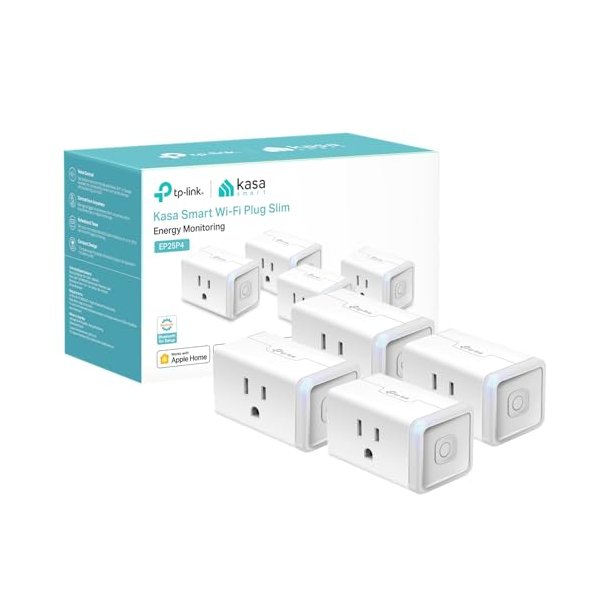
The Kasa Smart Plug Ultra Mini continues to dominate as a top choice for its perfect balance of features, reliability, and value. This updated model supports Matter protocol alongside the traditional Kasa app, making it incredibly versatile for any smart home setup. Its compact design leaves adjacent outlets free, and the energy monitoring provides detailed insights into your power consumption.
The EP25 works flawlessly with Alexa, Google Home, and Apple HomeKit through Matter support. Setup takes less than two minutes, and the plug maintains a solid Wi-Fi connection even at moderate distances from your router. The scheduling and timer features are intuitive and reliable, making it perfect for automating lamps, fans, coffee makers, and other household appliances.
Pros:
- Excellent Matter support for cross-platform compatibility
- Compact design doesn’t block other outlets
- Accurate energy monitoring with detailed consumption data
- Affordable pricing, especially in multi-packs
- Fast, reliable response times
Cons:
- Requires 2.4GHz Wi-Fi network
- No USB ports included
- Status LED cannot be completely disabled
2. Amazon Smart Plug (2026 Edition)
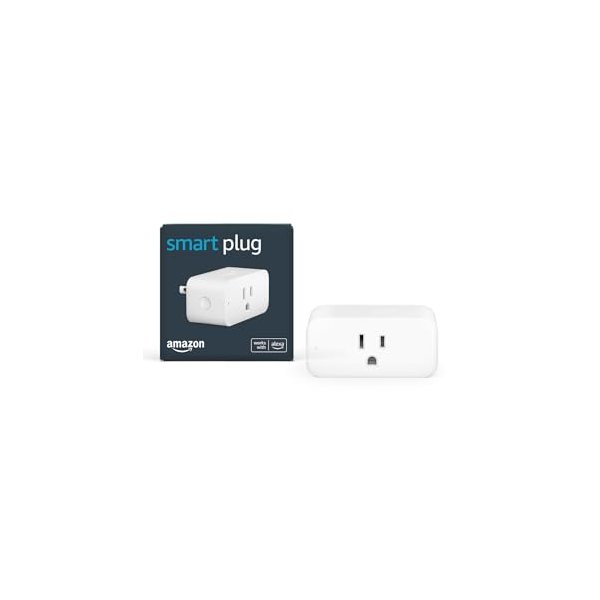
Amazon’s refreshed smart plug for 2026 brings Matter support and improved processing for faster response times. If you’re heavily invested in the Alexa ecosystem, this remains the most seamless option available. The setup process is remarkably simple—just plug it in and say “Alexa, discover devices,” and you’re ready to go in seconds.
While it lacks energy monitoring features found in some competitors, its rock-solid reliability and deep Alexa integration make it ideal for users prioritizing voice control and automation routines. The 2026 edition also features a smaller footprint than previous versions, finally addressing one of the main criticisms of earlier models.
Pros:
- Seamless Alexa integration with instant setup
- Matter support added in 2026 edition
- Extremely reliable connectivity
- Compact design improved from previous versions
- Regular firmware updates from Amazon
Cons:
- No energy monitoring capabilities
- Best features require Alexa ecosystem
- Slightly more expensive than competitors
3. Aqara Smart Plug (Zigbee)
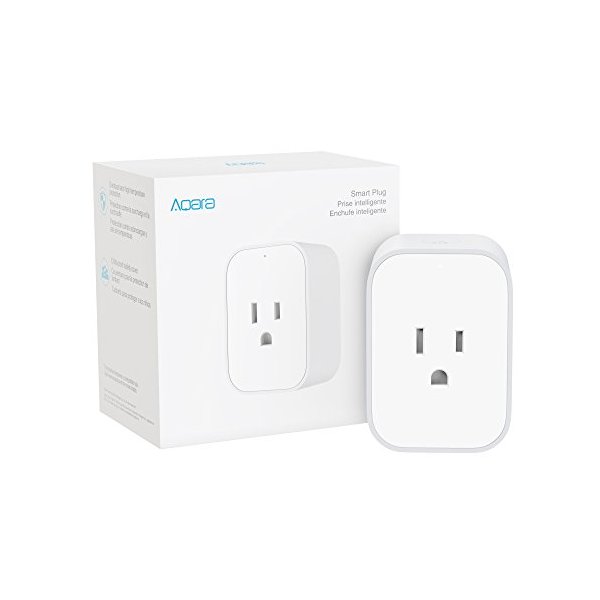
For users building a robust Zigbee or Thread-based smart home, the Aqara Smart Plug stands out as the premium choice. This model leverages Zigbee protocol for reliable mesh networking and fast response times that improve as you add more Zigbee devices to your network. The energy monitoring is among the most accurate we’ve tested, with detailed historical data accessible through the excellent Aqara app.
The Aqara plug works with an Aqara hub or any Zigbee-compatible hub, and the investment pays dividends in reliability and speed. The build quality feels premium, and the compact European-style design manages to pack in impressive technology while remaining unobtrusive on your wall outlet.
Pros:
- Fast response via Zigbee mesh protocol
- Exceptional energy monitoring accuracy
- Premium build quality and design
- Works offline for local control via Zigbee when internet drops
- Mesh networking improves with more Zigbee devices
Cons:
- Requires Zigbee hub (Aqara or compatible)
- Higher upfront cost
- Smaller maximum load than some competitors
4. Wemo Smart Plug
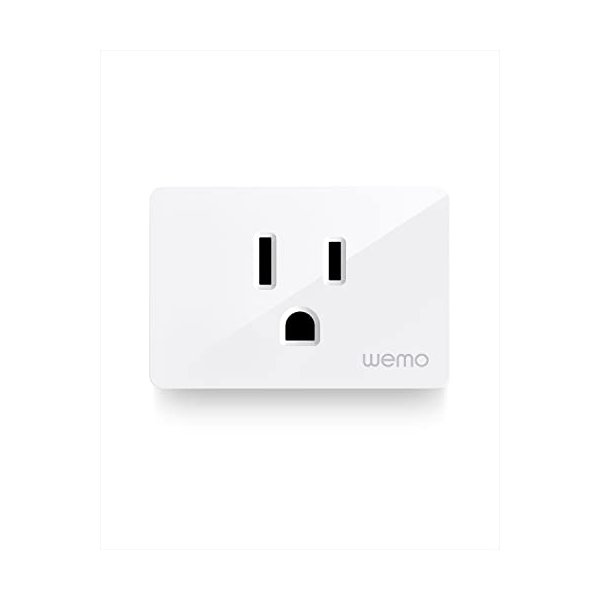
Belkin’s Wemo Smart Plug delivers a reliable, straightforward experience with broad ecosystem compatibility. It works with Apple HomeKit, Amazon Alexa, and Google Assistant right out of the box. Setup is simple — just plug it in and use the Wemo app or your preferred voice assistant to get started in minutes.
The Wemo app has improved significantly over the years, becoming more intuitive and reliable. Scheduling, timers, and away-mode lighting simulation are all built in. The compact design keeps the second outlet free, and the physical power button on the side lets you control it manually when needed.
Pros:
- Works with HomeKit, Alexa, and Google Assistant
- Simple, reliable setup process
- Built-in away mode for security lighting
- Compact design doesn’t block adjacent outlets
- Physical button for manual control
Cons:
- No energy monitoring
- 2.4GHz Wi-Fi only
- Slightly pricier than some competitors
5. Meross Matter Smart Plug Mini

The Meross Matter Smart Plug Mini is one of the most affordable Matter-certified smart plugs on the market. Its compact design and broad compatibility make it a great entry point for anyone building a smart home. With Matter support, it works seamlessly across Apple Home, Amazon Alexa, and Google Home without needing separate apps for each platform.
Setup is straightforward through any Matter-compatible app, and the plug maintains a solid Wi-Fi connection. The Meross app provides additional features like scheduling and timers, though you can manage everything through your preferred ecosystem app. For the price point, this plug delivers excellent value as a Matter-first device.
Pros:
- Full Matter certification for cross-platform compatibility
- One of the most affordable Matter-certified plugs
- Ultra-compact design
- 100% local control — works when internet is down
- Easy setup through any Matter-compatible app
Cons:
- No energy monitoring
- No physical button on the device
- 2.4GHz Wi-Fi only
How to Choose the Right Smart Plug for Your Needs
Selecting the perfect smart plug depends on your specific situation, existing smart home setup, and intended use cases. Different scenarios call for different features, and understanding your priorities helps narrow down the options from our top picks.
Consider your existing smart home ecosystem first. If you’re deeply invested in Apple HomeKit, prioritize models with native HomeKit support or Matter compatibility. Alexa-centric homes benefit most from plugs with seamless Alexa integration, while Google Home users should ensure robust Google Assistant support.
Budget Considerations
Smart plugs range from budget-friendly options around $10 to premium models exceeding $30. The good news is that even budget options in 2026 offer solid performance and basic features. However, premium models justify their higher prices with better energy monitoring, faster processors for quicker response times, and superior build quality that lasts longer.
Consider purchasing multi-packs when outfitting multiple rooms. Most manufacturers offer significant discounts on 2-pack or 4-pack bundles, reducing the per-unit cost considerably. This approach works well if you know you’ll need several plugs and prefer consistency across your smart home.
Physical Space and Outlet Configuration
Measure your outlet spacing before purchasing, especially if you have furniture close to outlets or need to use both sockets in a duplex outlet. Compact models like the Kasa Ultra Mini work better in tight spaces, while dual-outlet options like the Wemo maximize utility when you have more room to work with.
Consider whether you need grounded (three-prong) plugs for safety with certain appliances. Most modern smart plugs include grounding, but some ultra-compact models sacrifice this feature for size. Never use an ungrounded smart plug with appliances that require grounding for safety.
Smart Plug Use Cases and Ideas
Smart plugs unlock countless automation possibilities beyond simple on/off control. Understanding creative use cases helps you maximize the value of these versatile devices throughout your home.
Holiday and seasonal decorations become effortless to manage with smart plugs. Schedule your Christmas lights to turn on at sunset and off at bedtime, or create vacation lighting schedules that make your home appear occupied while you’re away. The ability to control decorative lighting remotely provides both convenience and security benefits.
Energy Management and Savings
Use energy monitoring features to identify phantom power draws from devices in standby mode. Electronics like gaming consoles, cable boxes, and older appliances often consume significant power even when “off.” Smart plugs let you completely cut power to these devices when not in use, reducing your electricity bill and environmental impact.
Create schedules that align with time-of-use electricity rates if your utility offers them. Automatically run high-consumption devices like dehumidifiers, pool pumps, or electric vehicle chargers during off-peak hours when electricity costs less, maximizing your savings without sacrificing convenience.
Home Security Enhancements
Smart plugs significantly enhance home security through automated lighting routines that simulate occupancy. Create randomized schedules for lamps in different rooms, making it appear that someone’s home even during extended absences. This approach deters potential intruders more effectively than predictable timer-based solutions.
Integrate smart plugs with security systems and motion sensors for responsive lighting. When your security camera detects motion at night, automatically turn on outdoor or indoor lights to illuminate the area and potentially discourage unwanted visitors.
Convenience and Daily Routines
Coffee makers connected to smart plugs can start brewing before you wake up, triggered by your morning alarm or scheduled time. Space heaters can warm your bathroom before your shower, while fans can automatically turn off after you fall asleep.
Voice control eliminates the need to reach for switches or cross dark rooms. Simply tell your voice assistant to turn off the bedroom fan, activate the living room lamp, or shut down all downstairs lights with a single command, making your daily routines more efficient and comfortable.
Installation and Setup Tips
Most smart plugs feature straightforward setup processes, but following best practices ensures optimal performance and longevity. Proper installation and configuration prevent common issues that frustrate new smart home users.
Ensure your Wi-Fi network covers the areas where you’ll place smart plugs. Most models require a 2.4GHz Wi-Fi connection, which offers better range than 5GHz networks. If you experience connectivity issues, consider Wi-Fi extenders or mesh networking systems to improve coverage throughout your home.
Network and Router Configuration
Check your router’s device limit, as some older models restrict the number of connected devices. Each smart plug counts as a device on your network, and hitting connection limits causes frustration and unreliable performance. Modern routers typically support dozens of devices, but verify your capacity before purchasing multiple smart plugs.
Create a separate network for IoT devices if your router supports it. This security best practice isolates smart home devices from computers and phones containing sensitive data, reducing vulnerability if a smart device is compromised. Many modern routers offer guest networks that work perfectly for this purpose.
Organizing and Naming Devices
Use clear, descriptive names for your smart plugs that make sense when speaking to voice assistants. Names like “living room lamp” work better than “lamp 1” or default names. Consider your household’s natural language patterns when choosing names to ensure everyone can control devices intuitively.
Group related devices together in your smart home app for easier control. Creating rooms in your app’s settings allows you to control all devices in a space with a single command, like “turn off the bedroom” to shut down all bedroom smart plugs simultaneously.
Matter Protocol: The Future of Smart Home Compatibility
Matter has emerged as the most significant development in smart home technology in recent years, and its impact on smart plugs has been particularly positive. This universal standard ensures devices work across ecosystems without requiring multiple apps or complicated integrations.
Smart plugs with Matter support offer unprecedented flexibility. You can control them through Apple HomeKit, Amazon Alexa, Google Home, and Samsung SmartThings simultaneously using whichever interface you prefer in the moment. This flexibility becomes especially valuable in multi-user households where different family members prefer different ecosystems.
Benefits of Matter-Enabled Smart Plugs
Future-proofing is the primary advantage of Matter-certified devices. As you add new smart home devices or change ecosystems, Matter-enabled smart plugs continue working seamlessly without requiring replacement. This longevity protects your investment and reduces electronic waste.
Local control is another significant benefit. Matter devices can communicate directly with controllers on your local network, maintaining functionality even when internet connectivity drops. This reliability proves invaluable during internet outages when you still need to control essential devices.
Safety Considerations and Best Practices
While smart plugs are generally safe when used properly, understanding their limitations and following safety guidelines prevents potential hazards. Never exceed the maximum wattage rating specified by the manufacturer, as overloading can cause overheating and fire risks.
Avoid using smart plugs with heat-generating appliances like space heaters or hair dryers unless the plug is specifically rated for high-wattage applications. Many standard smart plugs have 15-amp limits, insufficient for some high-draw appliances. Check both the plug’s rating and your appliance’s requirements before connecting them.
Outdoor and Wet Location Usage
Most smart plugs are designed exclusively for indoor use in dry locations. For outdoor applications, purchase models specifically rated for outdoor use with appropriate weather sealing. Indoor smart plugs used outdoors face moisture damage, corrosion, and electrical hazards that compromise safety.
Never use smart plugs in bathrooms or other wet locations unless they’re specifically rated for such environments. Water and electricity create dangerous situations, and standard smart plugs lack the necessary protection against moisture intrusion.
Troubleshooting Common Smart Plug Issues
Even the best smart plugs occasionally experience issues. Understanding common problems and their solutions helps you quickly resolve issues without frustration or unnecessary returns.
Connection drops typically result from Wi-Fi range issues or network congestion. If a smart plug frequently goes offline, try moving your router closer, adding a Wi-Fi extender, or switching to a less congested Wi-Fi channel. Some routers automatically switch channels, which can temporarily disconnect devices during the transition.
App and Voice Control Problems
If voice commands fail, verify that your voice assistant account is properly linked to your smart plug’s app and that the plug hasn’t been inadvertently renamed. Re-discovering devices in your voice assistant app often resolves recognition issues. Also ensure your smart plug’s firmware is updated, as manufacturers regularly release updates improving compatibility and performance.
Automation failures usually stem from incorrect scheduling or conflicting rules. Review your automation settings carefully, checking time zones, day selections, and triggering conditions. Some platforms allow multiple automation rules that can conflict with each other, causing unpredictable behavior.
Frequently Asked Questions
Do smart plugs work without Wi-Fi?
Most Wi-Fi smart plugs require an internet connection for remote control and initial setup, but Matter-enabled and Zigbee/Thread models can operate locally after setup. During internet outages, you typically lose remote control and automation features, but some models allow manual control via physical buttons. Thread-based smart plugs offer the most reliable offline functionality since they communicate through local mesh networks rather than requiring cloud connectivity.
How much electricity do smart plugs use?
Modern smart plugs consume between 0.5 to 2 watts when idle, translating to roughly $1-3 per year in electricity costs. This minimal consumption is easily offset by energy savings from better appliance management and eliminating phantom power draws. Energy monitoring features help identify devices wasting more power in standby mode than the smart plug itself uses, making the investment worthwhile from an efficiency standpoint.
Can smart plugs handle air conditioners or refrigerators?
Most standard smart plugs handle up to 15 amps (1800 watts), which is insufficient for many air conditioners and inappropriate for refrigerators. Large appliances often require dedicated circuits and shouldn’t be controlled via smart plugs. However, specialized heavy-duty smart outlets rated for 20+ amps exist for these applications. Always check both the smart plug’s rating and your appliance’s requirements before connecting them.
Are smart plugs secure from hackers?
Reputable smart plug manufacturers implement strong security protocols, including encryption and regular firmware updates addressing vulnerabilities. Risks can be minimized by purchasing from established brands, keeping firmware updated, using strong Wi-Fi passwords, and isolating IoT devices on separate networks. Matter protocol includes robust security standards, making Matter-certified smart plugs among the most secure options available. While no device is completely immune to threats, smart plugs from quality manufacturers present minimal security risks when properly configured.
What’s the difference between Wi-Fi, Zigbee, and Thread smart plugs?
Wi-Fi smart plugs connect directly to your router and work independently without requiring hubs, making them easiest to set up. However, they can congest networks when you have many devices. Zigbee smart plugs require a hub but create mesh networks where each device extends range, offering better reliability and faster response in large deployments. Thread is the newest protocol, combining the best aspects of both with mesh networking, low power consumption, and Matter compatibility. Thread requires a border router but provides exceptional performance and reliability.
Conclusion
Smart plugs remain one of the most accessible and practical entry points into home automation, and the options available in 2026 are more capable and affordable than ever. Whether you choose the versatile Kasa Smart Plug Ultra Mini, the Alexa-integrated Amazon Smart Plug, the premium Aqara Zigbee model, the ecosystem-friendly Wemo Smart Plug, or the budget-friendly Meross Matter Mini, you’ll enjoy enhanced convenience and control over your home’s devices.
The addition of Matter support across most modern smart plugs ensures your investment remains relevant as the smart home landscape evolves. Take time to assess your specific needs, existing ecosystem, and planned use cases before purchasing. With the right smart plug, you’ll wonder how you ever managed without the ability to control devices remotely, automate daily routines, and monitor energy consumption. Start with one or two plugs in high-value locations, and you’ll likely find yourself gradually expanding your smart home capabilities as you discover new automation possibilities.