This article contains affiliate links. We may earn a commission at no extra cost to you.
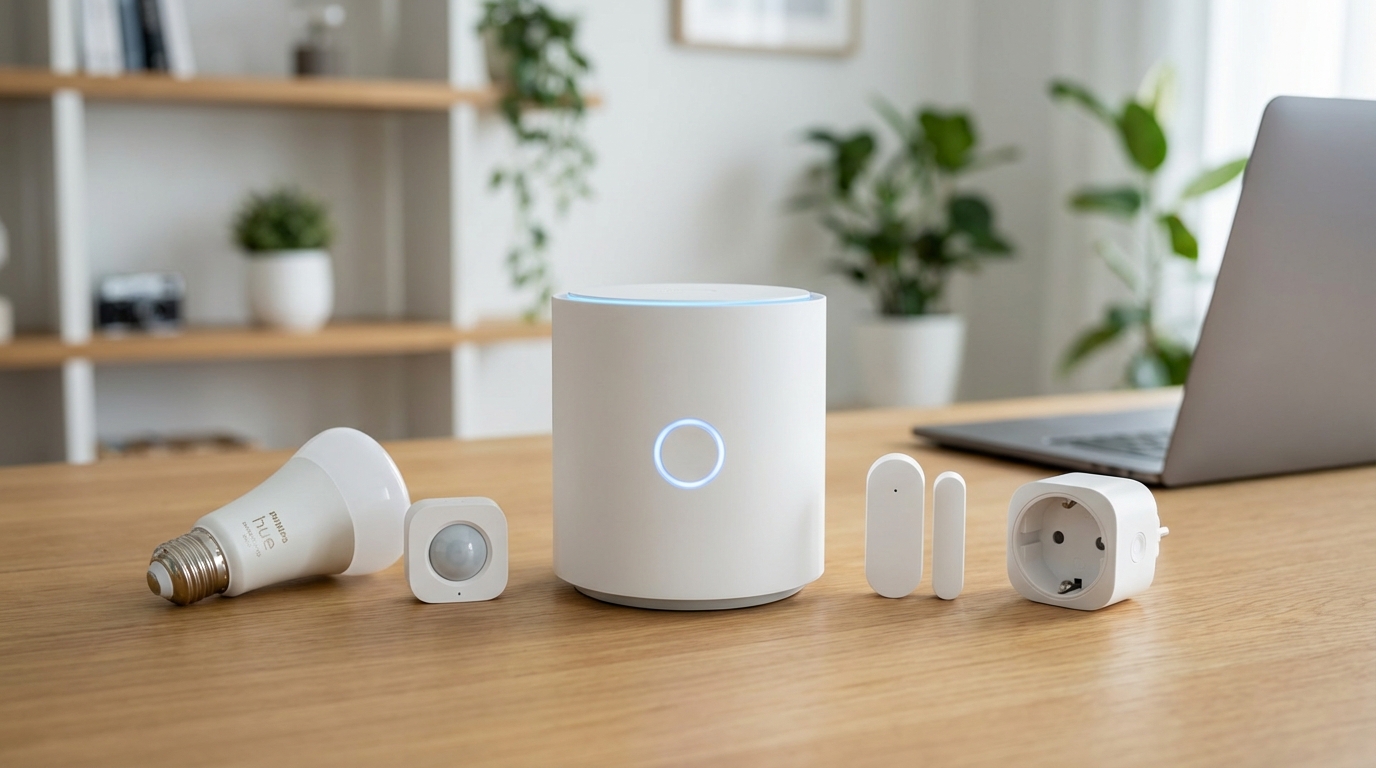
🏆 Zigbee Smart Home Starter Kit
🌟 Best Zigbee Hub: Echo Dot (4th Gen+) – Built-in Zigbee hub, voice control, only $50
🔌 Best Zigbee Sensors: Aqara Door/Window Sensors – Reliable, 2-year battery, $15 each
💡 Best Zigbee Bulbs: Philips Hue Bulbs – Gold standard, works with any Zigbee hub
Why Choose Zigbee?
✅ No cloud required: Works even when internet is down
✅ Battery efficient: Sensors last 1-2 years on a single battery
✅ Mesh network: Each device extends range automatically
✅ Fast response: Local control means instant automation
✅ Reliable: Less congestion than Wi-Fi, dedicated frequency
Building a smart home can feel overwhelming with so many competing wireless protocols—WiFi, Z-Wave, Bluetooth, Thread, and Zigbee. But if you’re looking for a reliable, low-power mesh network that doesn’t overload your WiFi router, learning how to build a Zigbee smart home is one of the smartest decisions you can make.
Zigbee devices are typically more affordable than their WiFi counterparts, consume less power (meaning longer battery life for sensors), and create a self-healing mesh network that gets stronger as you add more devices. This guide will walk you through every step of building your Zigbee smart home, from choosing the right hub to pairing your first devices and expanding your network strategically.
What Is Zigbee and Why Choose It for Your Smart Home?
Understanding the Zigbee Protocol
Zigbee is a wireless communication protocol designed specifically for low-power, low-bandwidth smart home devices. Unlike WiFi devices that connect directly to your router, Zigbee devices communicate through a mesh network coordinated by a central hub.
The mesh network means each powered Zigbee device (like smart plugs and light bulbs) acts as a signal repeater, extending your network’s range. Battery-powered devices like sensors don’t repeat signals to conserve power, but they benefit from the extended coverage.
Advantages of a Zigbee Smart Home
Zigbee operates on the 2.4GHz frequency but uses significantly less bandwidth than WiFi. This means you can connect hundreds of devices without slowing down your internet or requiring network upgrades.
According to user experiences across smart home communities, Zigbee devices typically respond faster than cloud-dependent WiFi devices because they communicate locally through your hub. Many Zigbee setups continue functioning even during internet outages, though some features may be limited.
The protocol is also an open standard maintained by the Connectivity Standards Alliance, meaning devices from different manufacturers generally work together seamlessly—a major advantage over proprietary systems.
Step 1: Choose Your Zigbee Hub (The Foundation)
Popular Zigbee Hub Options
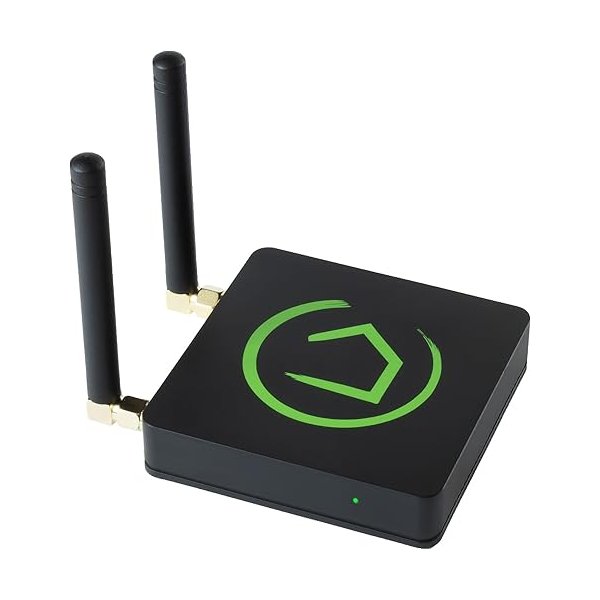
Your hub is the brain of your Zigbee smart home, so this decision matters. Here’s a comparison of the most widely regarded options based on features, compatibility, and user feedback:
| Hub | Price Range | Best For | Local Control | Voice Assistant |
|---|---|---|---|---|
| Home Assistant (with Zigbee adapter) | $35-150 | Power users, maximum flexibility | Yes | All (via integrations) |
| Hubitat Elevation | $135-150 | Local control enthusiasts | Yes | Alexa, Google |
| Amazon Echo (4th gen or Echo Studio) | $50-200 | Alexa users, beginners | Partial | Alexa |
| Samsung SmartThings Hub | $70-90 | Mixed protocol needs | Partial | Alexa, Google, Bixby |
| Philips Hue Bridge | $60 | Primarily lighting | Yes | All major assistants |
Home Assistant with Zigbee USB Adapter – Pros: Complete local control, highly customizable, supports virtually all Zigbee devices, free software, active community – Cons: Steeper learning curve, requires separate hardware (Raspberry Pi or similar), configuration takes time – Verdict: Based on community consensus, this is the most powerful option for those willing to invest time in setup
Hubitat Elevation – Pros: Designed for local processing, user-friendly interface, strong automation capabilities, no subscription fees – Cons: Smaller device compatibility compared to SmartThings, interface feels dated to some users – Verdict: According to user reviews, this strikes the best balance between power and ease of use for privacy-focused users
Amazon Echo (4th Gen or newer) – Pros: Built-in Zigbee hub, familiar Alexa interface, excellent for beginners, affordable – Cons: Limited device compatibility, cloud-dependent, basic automation options, being phased out in favor of Matter – Verdict: Widely regarded as the easiest entry point if you’re already in the Alexa ecosystem, though not the most future-proof choice
Samsung SmartThings Hub – Pros: Supports multiple protocols (Zigbee, Z-Wave, WiFi), large device library, mature platform – Cons: Increasing cloud dependence, Samsung has shifted focus away from the hub, Matter transition unclear – Verdict: Still functional and popular, but some long-time users express concerns about Samsung’s long-term commitment
What to Consider When Choosing
Think about your technical comfort level first. If you want the simplest setup, an Echo with built-in Zigbee gets you started quickly. If you value privacy and local control, Home Assistant or Hubitat are better long-term investments.
Also consider which devices you plan to use. The Hue Bridge only works with Philips Hue and Friends of Hue certified devices, while Home Assistant supports nearly everything.
Step 2: Set Up Your Zigbee Hub
Installation Process
The setup process varies by hub, but here’s the general approach for building your Zigbee smart home foundation:
For Echo Devices: Simply plug in your Echo, complete the Alexa app setup, and your Zigbee hub is ready. No additional configuration needed.
For Hubitat: Connect to your router via Ethernet, access the web interface from any browser on your network, complete the registration, and you’re ready to add devices.
For Home Assistant: This requires more steps. You’ll need to install Home Assistant OS on a Raspberry Pi or dedicated hardware, plug in a Zigbee USB coordinator (popular options include the SONOFF Zigbee 3.0 USB Dongle Plus or ConBee II), then install the ZHA (Zigbee Home Automation) or Zigbee2MQTT integration.
Optimizing Hub Placement
Your hub’s location significantly impacts network performance. According to Zigbee Alliance guidelines, place your hub centrally in your home, away from WiFi routers and other 2.4GHz devices to minimize interference.
Keep the hub at least 3 feet away from your router and metal objects that can block signals. If you’re using a USB coordinator with Home Assistant, consider using a USB extension cable to position it away from the computer’s electronic interference.
Step 3: Add Your First Zigbee Devices
Starting with Powered Devices
When learning how to build a Zigbee smart home, start with powered devices like smart plugs or light bulbs. These strengthen your mesh network immediately and are the easiest to pair.
Recommended First Devices: – IKEA TRÅDFRI Smart Plug: Around $10-15, widely compatible, excellent repeater – Sengled Smart Bulbs: $10-15 per bulb, reliable and affordable (note: these don’t act as repeaters) – Third Reality Smart Plugs: $15-20, strong Zigbee 3.0 support, compact design View on Amazon
Pairing Process
Each hub has a slightly different pairing method, but the general process is:
- Put your hub in pairing mode (called “discovery mode” or “join mode”)
- Power on or reset your Zigbee device (usually holding a button for 5-10 seconds)
- Wait for the hub to discover and add the device (typically 30-60 seconds)
- Name and configure the device in your hub’s app
Most modern Zigbee 3.0 devices pair easily with any hub. Older Zigbee 1.2 devices or manufacturer-specific implementations may require additional steps.
Step 4: Expand Your Network Strategically
Building a Strong Mesh Network
The beauty of learning how to build a Zigbee smart home is understanding how mesh networks strengthen themselves. Each powered device extends your network’s reach.
Place powered devices (plugs, bulbs, hardwired switches) strategically along the path between your hub and distant rooms. Think of them as stepping stones that relay signals to battery-powered sensors in far corners of your home.
According to mesh network best practices, avoid creating dead-end routes. If possible, give devices multiple paths to reach the hub, creating redundancy in case one device fails or is unplugged.
Recommended Device Categories
Smart Lighting – Philips Hue Bulbs: $15-50 per bulb, exceptional color quality, excellent repeaters – IKEA TRÅDFRI Bulbs: $8-20, budget-friendly, good compatibility View on IKEA – Sengled Bulbs: $10-15, affordable but don’t repeat signals View on Amazon
Contact and Motion Sensors – Aqara Door/Window Sensors: $15-20, compact, long battery life (based on user reports of 1-2 years) – Third Reality Motion Sensors: $20-25, fast response according to user reviews View on Amazon – SmartThings Multipurpose Sensors: $20-30, versatile mounting options View on Amazon
Smart Plugs – Third Reality Smart Plugs: $15-20 each, reliable repeaters – IKEA TRÅDFRI Outlets: $10-15, excellent value – Sonoff S31 Lite: $10-15, energy monitoring on some models
Temperature and Humidity Sensors – Aqara Temperature Sensors: $15-20, accurate readings based on user comparisons – Sonoff SNZB-02: $8-12, budget option with decent accuracy
Step 5: Create Automations and Scenes
Basic Automation Ideas
Once you’ve learned how to build a Zigbee smart home infrastructure, automations bring everything to life. Here are starter ideas that don’t require advanced programming:
Motion-Activated Lighting: Turn on hallway lights when motion is detected between sunset and sunrise, then turn off after 5 minutes of no motion.
Door Notifications: Send a notification to your phone when specific doors open while you’re away.
Temperature-Based Actions: Turn on a smart plug connected to a fan when room temperature exceeds 75°F.
Good Morning Scene: At sunrise, gradually brighten bedroom lights, turn on the coffee maker (via smart plug), and unlock the front door if you’re home.
Automation Platforms
Your automation capabilities depend heavily on your hub choice. Alexa offers basic routines with limited conditional logic. SmartThings provides more flexibility with its Rules API. Hubitat offers powerful Rule Machine capabilities for complex conditions.
Home Assistant, according to power users in smart home communities, offers the most sophisticated automation engine with nearly unlimited possibilities through its automation editor and Node-RED integration.
Step 6: Troubleshooting Common Issues
Devices Won’t Pair
If a device won’t pair, first ensure your hub is in pairing mode. Try resetting the device completely—most Zigbee devices have a reset procedure involving holding a button for 10+ seconds.
Check if you’re exceeding your hub’s device limit. Echo devices reportedly support around 100+ Zigbee devices, though performance may degrade with very large networks.
Move the device closer to the hub during initial pairing, then relocate it afterward. Some devices need strong signal for initial connection.
Devices Dropping Offline
Zigbee networks can experience interference from WiFi, especially on overlapping channels. If using a 2.4GHz WiFi network, configure your router to use channels 1, 6, or 11, and set your Zigbee network to a non-overlapping channel (typically channel 15, 20, or 25).
Battery-powered devices may appear offline when batteries run low. Most hubs report battery levels—check regularly and replace proactively.
For persistent connectivity issues, add more powered devices between the problematic device and your hub to strengthen the mesh path.
Slow Response Times
Slow response typically indicates weak mesh routing. Add powered repeater devices along the signal path. Avoid relying on Sengled bulbs as the sole path since they don’t repeat signals.
Also check your hub’s processing load. Echo devices, according to user experiences, can become sluggish when running many simultaneous automations or routines.
Advanced Tips for Your Zigbee Smart Home
Channel Optimization
WiFi and Zigbee both use 2.4GHz, but strategic channel selection minimizes interference. Use a WiFi analyzer app to see which channels are crowded, then configure your Zigbee network accordingly.
Most Zigbee hubs default to channel 15 or 25, but you can manually change this in hub settings. After changing channels, you’ll typically need to re-pair all devices.
Mixing Zigbee 1.2 and Zigbee 3.0 Devices
Zigbee 3.0 is backward compatible with older Zigbee profiles (ZHA, ZLL), but mixing can occasionally cause quirks. According to community wisdom, Zigbee 3.0 devices generally work better together and are worth prioritizing for new purchases.
Some older Philips Hue devices use the ZLL profile and may not properly repeat signals for ZHA devices. Updating firmware often resolves these compatibility issues.
Creating Device Groups
Most hubs let you group devices for simultaneous control. Grouping Zigbee lights at the Zigbee level (not just in your hub’s app) enables faster, more reliable simultaneous control because the command goes out once to the group rather than individually to each device.
Cost Breakdown: Building Your Zigbee Smart Home
Budget-Friendly Starter Setup ($150-200)
- Hub: Amazon Echo 4th Gen – $50
- Lighting: 4x IKEA TRÅDFRI bulbs – $40
- Smart Plugs: 3x IKEA outlets – $35
- Sensors: 3x Aqara door sensors – $45
- Motion: 1x Third Reality motion sensor – $25
Total: ~$195
This starter setup gives you automated lighting, presence detection, and door monitoring across key rooms.
Mid-Range Setup ($400-500)
- Hub: Hubitat Elevation – $140
- Lighting: 6x Philips Hue color bulbs – $180
- Smart Plugs: 4x Third Reality plugs – $65
- Sensors: 5x Aqara door/window sensors – $75
- Motion: 2x motion sensors – $45
Total: ~$505
This setup provides comprehensive coverage for a typical 2-3 bedroom home with quality components.
Advanced Setup ($800+)
- Hub: Home Assistant with Raspberry Pi and Zigbee coordinator – $120
- Lighting: 10x Philips Hue bulbs (mix of color and white) – $300
- Switches: 4x Zigbee wall switches – $140
- Smart Plugs: 6x various plugs – $90
- Sensors: 10x door/window sensors – $150
- Motion: 4x motion sensors – $90
- Other: Temperature sensors, leak detectors, buttons – $100
Total: ~$990
This advanced setup covers a larger home with redundant mesh pathways and extensive automation possibilities.
Frequently Asked Questions
How many Zigbee devices can one hub support?
The theoretical Zigbee limit is 65,000 devices per network, but practical limits depend on your hub. Amazon Echo devices reportedly support 100+ devices, while Home Assistant and Hubitat can handle several hundred. Network stability generally decreases as you approach these limits. For very large installations (150+ devices), consider multiple hubs on separate Zigbee networks.
Do Zigbee devices work without internet?
Yes, Zigbee operates locally and doesn’t require internet for basic functionality. However, some features like remote access, voice control, and cloud-based automations won’t work during outages. Hubs like Home Assistant and Hubitat maintain full local functionality, while Echo devices lose most features without internet connectivity.
Can I use Zigbee devices from different brands together?
Generally yes, especially with Zigbee 3.0 devices. The protocol is designed for interoperability. However, some manufacturers add proprietary features that only work with their own hubs. Philips Hue devices work with any Zigbee hub but some advanced features require the Hue Bridge
🎯 Building Your Zigbee Smart Home
Start here (
15 total):
- Echo Dot with Zigbee hub ($50)
- Aqara Door Sensors x3 ($45)
- Philips Hue Bulb ($20)
Then expand with: Motion sensors, smart plugs, light strips, thermostats—all work together seamlessly on your Zigbee mesh network.
Zigbee offers the perfect balance of reliability, battery life, and local control. Start with the Echo Dot as your hub, add a few Aqara sensors, and experience smart home automation that works instantly—even when your internet is down.