This article contains affiliate links. We may earn a commission at no extra cost to you.
🏆 Quick Picks: Best Security Camera Systems 2026
🥇 Best Overall: Arlo Pro 4 – Premium features, excellent video quality, no monthly fees required for basic use
💰 Best Budget: Wyze Cam v3 – Incredible value with color night vision and free cloud storage
🔔 Best Ecosystem: Ring Video Doorbell – Seamless integration with Amazon Alexa and extensive device lineup
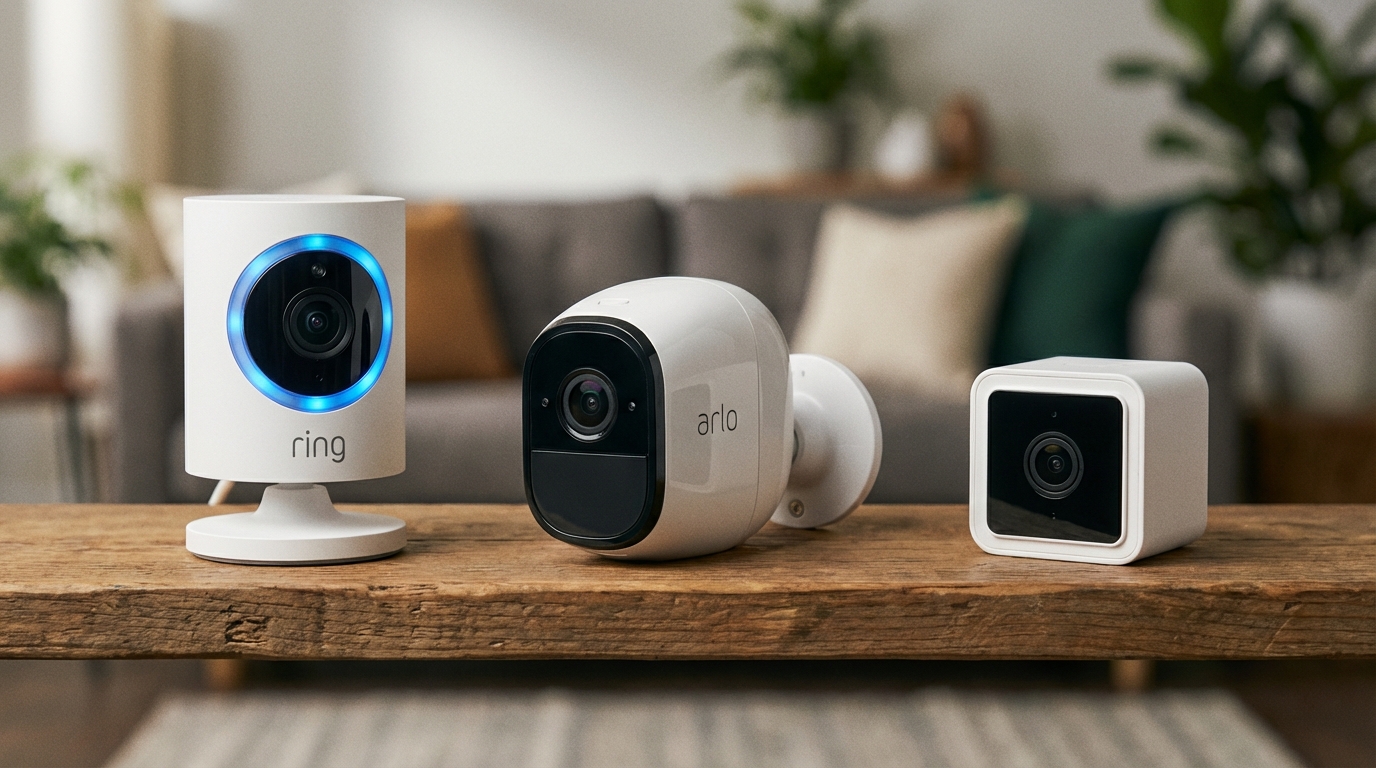
Choosing between Ring, Arlo, and Wyze cameras can feel overwhelming when you’re trying to protect your home. These three brands dominate the smart security camera market, but they take very different approaches to pricing, features, and ecosystem integration.
This comprehensive comparison breaks down the Ring vs Arlo vs Wyze cameras debate by examining what each brand does best, where they fall short, and which one makes the most sense for your specific needs. Whether you’re looking for budget-friendly basics or premium features like advanced AI detection, you’ll find clear recommendations based on real-world user reviews, technical specs, and expert consensus in the smart home community.
Quick Comparison Overview: Ring, Arlo, and Wyze at a Glance
At a Glance Comparison:
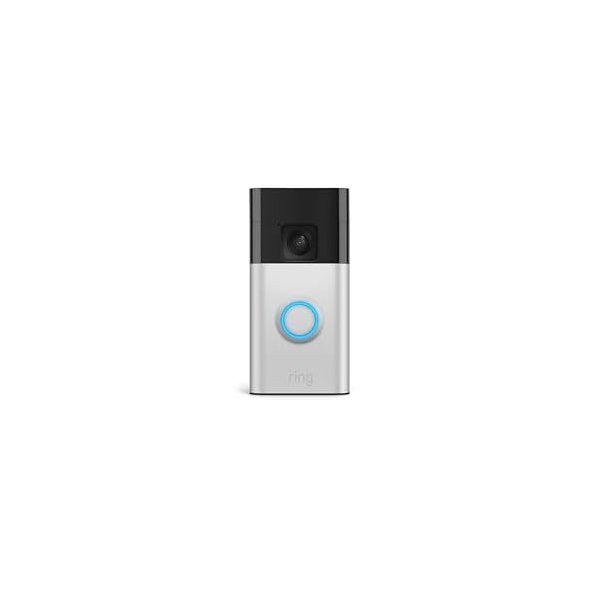
🔴 Ring: Best for Alexa integration | Shop Ring ($99)
🔵 Arlo: Best video quality & features | Shop Arlo ($199)
🟡 Wyze: Best budget option | Shop Wyze ($35)
Before diving deep into each brand, here’s how Ring, Arlo, and Wyze stack up on the factors that matter most:
| Feature | Ring | Arlo | Wyze |
|---|---|---|---|
| Price Range | $60-$250 | $50-$300 | $20-$80 |
| Video Quality | 1080p-1536p | 1080p-2K | 1080p-2K |
| Subscription Required? | For cloud storage | For cloud storage | Optional |
| Smart Home Integration | Alexa native, limited others | Alexa, Google, HomeKit | Alexa, Google |
| Free Cloud Storage | No | Limited | 14 days (limited events) |
| Battery Options | Yes (most models) | Yes (most models) | Limited |
| Best For | Alexa users | Premium features | Budget shoppers |
Ring Cameras: The Alexa-Integrated Security Solution
Ring’s Strengths and Core Features
Ring has become virtually synonymous with video doorbells since Amazon acquired the company in 2018. The brand’s cameras are designed to work seamlessly within the Amazon ecosystem, making them the obvious choice if you’re already invested in Alexa devices.
According to user reviews across multiple platforms, Ring cameras excel at ease of installation and reliable motion detection. Most Ring cameras offer 1080p HD video, two-way audio, and customizable motion zones that help reduce false alerts from passing cars or neighborhood pets.
The Ring Video Doorbell Pro 2 and Ring Spotlight Cam are particularly well-regarded for their consistent performance. The doorbell offers Head-to-Toe HD video (1536p) with advanced motion detection, while the Spotlight Cam adds LED floodlights for enhanced nighttime visibility.
Ring’s Subscription Model: Ring Protect Plans
Here’s where Ring becomes less attractive for budget-conscious buyers. Without a Ring Protect subscription, you’ll only get live view capabilities—no video recording or storage whatsoever.
Ring Protect Basic costs $4.99/month (or $49.99/year) per camera and includes 180 days of video history. The Protect Plus plan at $10/month covers all cameras at one location and adds extended warranties and cellular backup for Ring Alarm systems.
Ring Camera Limitations to Consider
Ring’s tight integration with Amazon cuts both ways. While Alexa users benefit from seamless voice control and Echo Show integration, Google Home users face limited functionality, and HomeKit support is non-existent.
User feedback consistently mentions that Ring cameras can be aggressive with compression, especially during high-motion events, which sometimes results in pixelated video when you need clarity most. The subscription requirement also means your total cost of ownership increases significantly over time compared to competitors.
Arlo Cameras: Premium Features for Security Enthusiasts
What Makes Arlo Stand Out
Arlo positions itself as the premium option in the Ring vs Arlo vs Wyze cameras comparison, and the specs support that positioning. Many Arlo models offer 2K or even 4K video resolution, wider fields of view (up to 180 degrees), and more sophisticated AI features.
The Arlo Pro 5S and Arlo Ultra 2 represent the brand’s flagship offerings. According to technical reviews, these cameras deliver exceptional image quality with HDR, color night vision, and impressive digital zoom capabilities that maintain detail even when zoomed in significantly.
Arlo’s wireless design philosophy means most cameras run on rechargeable batteries, giving you installation flexibility that wired competitors can’t match. Battery life typically ranges from 3-6 months depending on usage patterns and settings.
Arlo’s Smart Detection and AI Capabilities
Where Arlo truly differentiates itself is advanced object detection. Even with the free tier (though limited), Arlo cameras can distinguish between people, vehicles, animals, and packages—not just generic “motion detected” alerts.
The Arlo Secure subscription tiers expand these capabilities further with features like custom activity zones, smart notifications, and cloud activity zones that use AI to understand your property layout better over time.
Arlo’s Drawbacks and Considerations
The biggest barrier to Arlo adoption is price. Camera units themselves cost more upfront, and the Arlo Secure subscription plans ($4.99-$24.99/month) add ongoing costs that accumulate quickly if you have multiple cameras.
User reviews frequently mention that Arlo’s app experience can be inconsistent, with occasional connectivity issues and a learning curve steeper than Ring or Wyze. The battery life, while convenient, means you’ll need to remember to recharge units periodically—something wired camera owners never worry about.
Wyze Cameras: Maximum Value for Minimal Investment
Why Wyze Disrupted the Security Camera Market
Wyze burst onto the scene by asking a simple question: Why do security cameras cost so much? The original Wyze Cam at $20 undercut competitors by 70-80% while still delivering 1080p video and basic smart features.
That value proposition remains Wyze’s core strength in 2026. The Wyze Cam v4, Wyze Cam Pan v3, and Wyze Battery Cam Pro all offer impressive specifications at prices that make outfitting your entire home affordable on almost any budget.
According to widespread user consensus, Wyze cameras deliver remarkably good image quality for the price, with clear daytime video and respectable color night vision on newer models. The Wyze Cam v4 particularly stands out for its improved low-light performance and IP65 weather resistance.
Wyze’s Free Features vs. Cam Plus Subscription
This is where Wyze really differentiates itself in the Ring vs Arlo vs Wyze cameras comparison. Out of the box, Wyze cameras include 14 days of rolling cloud storage for motion and sound-triggered events (limited to 12-second clips with a 5-minute cooldown).
For continuous recording or removing clip length restrictions, you can add a microSD card directly to the camera—no subscription required. This local storage option means you can have 24/7 recording for the cost of a memory card.
The Wyze Cam Plus subscription ($1.99/month per camera, or $2.99/month for unlimited cameras) adds AI person detection, longer video clips, no cooldown periods, and web viewing. Even with the subscription, Wyze remains significantly cheaper than Ring or Arlo.
Wyze’s Weaknesses and Trade-offs
You get what you pay for, and Wyze makes compromises to hit those aggressive price points. Build quality doesn’t match the premium feel of Arlo cameras, and some users report shorter lifespan compared to more expensive competitors.
Smart home integration exists but isn’t as polished as Ring’s Alexa experience. While Wyze works with both Alexa and Google Assistant, the functionality is more basic—think viewing camera feeds rather than advanced automation.
Customer support is another frequent pain point in user reviews. Wyze’s lean operation means support responses can be slow, and warranty claims sometimes take weeks to resolve. If you value responsive customer service, this matters.
Video Quality and Performance Comparison
Resolution and Image Clarity
All three brands offer 1080p as their baseline, but the devil’s in the details. Arlo’s higher-end models with 2K and 4K resolution provide noticeably sharper images, especially when digitally zooming to identify details like faces or license plates.
Ring cameras typically max out at 1536p (on the Video Doorbell Pro 2), which sits between standard 1080p and true 2K. User feedback suggests Ring’s image processing prioritizes stability over quality, resulting in more compression artifacts during high-motion scenes.
Wyze cameras stick mostly with 1080p, but according to comparative reviews, the Wyze Cam v4 holds its own against more expensive 1080p competitors in good lighting conditions. The gap widens in challenging scenarios like backlighting or low light.
Night Vision Capabilities
Night vision technology varies significantly across these brands. Wyze and Ring primarily use infrared (IR) night vision, which produces black-and-white footage in darkness. It’s effective but loses color information that can be crucial for identification.
Arlo’s premium models feature color night vision powered by integrated spotlights. This provides much more useful footage at night—you can see what color clothing an intruder wore or the make and model of a suspicious vehicle.
The trade-off? Arlo’s spotlights activate when motion is detected, which some users find intrusive. Ring’s Spotlight Cam offers similar capability but as a deliberate deterrent feature rather than for continuous color recording.
Motion Detection and Alert Accuracy
False alerts plague all security cameras to some degree, but AI-powered detection has improved dramatically. Arlo leads in this category according to user reviews, with sophisticated algorithms that reliably distinguish between relevant motion (people, vehicles) and nuisance triggers (tree branches, shadows).
Ring’s motion detection is generally accurate but less nuanced without additional configuration. You’ll need to spend time adjusting sensitivity and motion zones to dial in the right balance for your property.
Wyze offers basic motion detection for free and AI-powered person detection with Cam Plus. Users report good results with the paid tier, though not quite matching Arlo’s accuracy. The free tier generates more false positives since it can’t distinguish object types.
Smart Home Integration and Ecosystem Compatibility
Ring and Amazon Alexa Integration
If you’re an Alexa household, Ring cameras offer unmatched integration. You can view camera feeds on Echo Show devices, include cameras in Alexa routines, and use voice commands to control every aspect of your Ring ecosystem.
Ring also integrates with other Ring products (doorbells, alarm systems, smart lighting) to create a cohesive security platform. This ecosystem approach works beautifully if you commit fully but creates vendor lock-in that limits flexibility.
Google Home integration exists for Ring but is limited compared to Alexa. Apple HomeKit? Not available at all, which is a dealbreaker for iOS-centric households.
Arlo’s Multi-Platform Approach
Arlo takes a more platform-agnostic stance, offering solid integration with Alexa, Google Assistant, and Apple HomeKit (on compatible models). This flexibility appeals to users who want to choose their smart home platform independently.
According to user experiences shared in smart home communities, Arlo’s integrations work reliably across platforms, though none feel quite as seamless as Ring’s Alexa integration. If you have a mixed ecosystem or might switch platforms later, Arlo’s flexibility becomes valuable.
Arlo also supports IFTTT (If This Then That), enabling custom automations that go beyond what the official integrations offer. This appeals to advanced users who want precise control over their smart home behaviors.
Wyze’s Budget-Friendly Integrations
Wyze supports both Alexa and Google Assistant with basic functionality like live viewing and triggering recordings. The integration works but lacks the polish and advanced features of Ring or Arlo.
Where Wyze differentiates itself for tech enthusiasts is unofficial support through communities that have enabled RTSP firmware and other workarounds. These aren’t officially supported, but they allow integration with platforms like Home Assistant and other open-source smart home systems.
For most mainstream users, Wyze’s integrations cover the basics adequately at the price point, but power users may find them limiting compared to what’s possible with pricier alternatives.
Installation and Setup Experience
Ring’s User-Friendly Installation
Ring cameras are widely praised for straightforward installation that most users can complete without professional help. Battery-powered models require nothing more than mounting the bracket and screwing in the camera.
The Ring app guides you through setup step-by-step with clear instructions and helpful videos. According to user feedback, most people have their Ring cameras operational within 15-30 minutes of opening the box.
Wired Ring models require basic electrical knowledge or professional installation, but the company provides clear guidance on when you should call an electrician versus DIY.
Arlo’s Wireless Flexibility
Arlo’s wire-free design philosophy means installation is typically as simple as mounting a bracket and positioning the camera. No drilling through walls or fishing wires—just find a good spot with adequate Wi-Fi coverage.
The Arlo base station (required for some models) adds one setup step but also provides a more stable connection than direct Wi-Fi in many homes. Users with large properties or Wi-Fi dead spots particularly appreciate this architecture.
Battery-powered operation means you’ll need to consider charging logistics. Most users develop a rotation where they keep a spare charged battery to swap out, minimizing downtime during recharges.
Wyze’s Plug-and-Play Simplicity
Most Wyze cameras require power via USB cable, which is both a limitation and a simplification. You’ll need outdoor power outlets or creative cable routing, but there’s no battery management or base station setup.
The Wyze app setup process is streamlined and beginner-friendly. User reviews consistently mention how quickly they got Wyze cameras up and running, often in under 10 minutes per camera.
The Wyze Battery Cam Pro offers wire-free installation similar to Arlo but is a relatively recent addition to the lineup, so fewer models have this flexibility.
Storage Options and Subscription Plans Detailed
Ring Protect Plans Breakdown
As mentioned earlier, Ring cameras require a subscription for any recording functionality:
- Ring Protect Basic: $4.99/month or $49.99/year per device
- 180 days of video history
- Photo capture for motion events
- Share videos and photos
- Ring Protect Plus: $10/month or $100/year for unlimited devices at one location
- Everything in Basic
- Extended warranty on Ring devices
- 10% off future Ring.com purchases
- Cellular backup and 24/7 professional monitoring for Ring Alarm
There’s no local storage option for Ring cameras. You’re locked into the subscription model or you’ll only have live viewing capability.
Arlo Secure Subscription Tiers
Arlo’s model is similar to Ring with tiered subscriptions:
- Arlo Secure (Single Camera): $4.99/month or $49.99/year
- 30 days of cloud recording
- Smart notifications (people, vehicles, animals, packages)
- Custom activity zones
- Rich notifications with image preview
- Arlo Secure (Unlimited Cameras): $12.99/month or $129.99/year
- Everything in single camera plan
- Covers unlimited cameras at one location
- Arlo Secure Plus: $24.99/month or $249.99/year
- Everything in Unlimited plan
- 60 days of cloud recording
- 24/7 professional monitoring option
Arlo does offer limited free cloud storage (7 days for up to 5 cameras) on legacy plans, but new customers face more restricted free tiers. Some Arlo models support local storage via USB-connected drives to the base station.
Wyze Cam Plus Value Proposition
Wyze’s pricing remains the most budget-friendly:
- Free Tier: Included with purchase
- 14 days of rolling cloud storage (12-second clips)
- 5-minute cooldown between events
- Motion and sound detection
- Local storage via microSD card
- Wyze Cam Plus: $1.99/month per camera or $2.99/month unlimited
- Full-length video clips
- No cooldown period
- AI person detection
- Web viewing access
- Smart detection (pets, packages, vehicles on select models)
- Wyze Cam Plus Lite: Pay what you want (minimum $0.00)
- Limited version supporting the service
- Full-length videos and no cooldowns
- No AI features
The ability to add a microSD card for continuous local recording without any subscription is unique to Wyze and represents genuine long-term value.
Pricing and Total Cost of Ownership
Upfront Hardware Costs
Ring Camera Prices: – Ring Indoor Cam: ~$60 – Ring Video Doorbell (2nd Gen): ~$100 – Ring Spotlight Cam Battery: ~$180 – Ring Video Doorbell Pro 2: ~$250
Arlo Camera Prices: – Arlo Essential Indoor: ~$50 – Arlo Essential Spotlight: ~$130 – Arlo Pro 5S: ~$200 – Arlo Ultra 2: ~$300
Wyze Camera Prices: – Wyze Cam OG: ~$20 – Wyze Cam v4: ~$36 – Wyze Cam Pan v3: ~$50 – Wyze Battery Cam Pro: ~$
🎯 Final Verdict: Which Should You Buy?
Choose Ring if:
✓ You have Alexa devices and want seamless integration ✓ You value a complete ecosystem of cameras, doorbells, and sensors ✓ You want professional monitoring options
👉 Shop Ring Cameras on Amazon →
Choose Arlo if:
✓ You want the best video quality available ✓ Budget isn’t your primary concern ✓ You need advanced features like person/vehicle detection
👉 Shop Arlo Cameras on Amazon →
Choose Wyze if:
✓ You’re on a tight budget but want quality cameras ✓ You don’t mind occasional bugs in exchange for value ✓ You want to start small and expand affordably